 GGX Help
Getting started
Where to use GGX, and how to find your way around it.
Where to use GGX
Use GGX in a web browser on a computer, or in the GGX app for iPhone and iPad or Android. On a phone, use the app: in a phone's web browser, GGX asks you to get it.
Find your way around
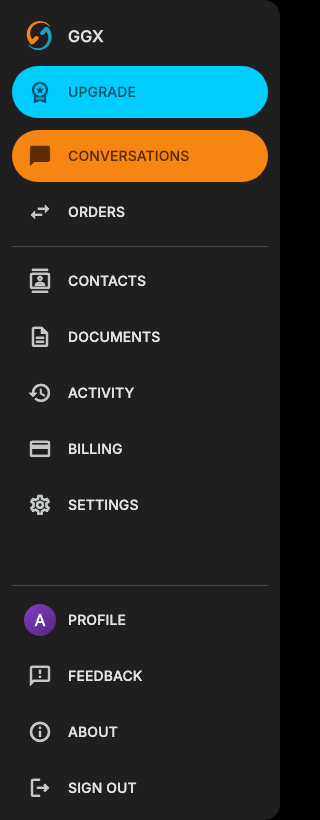
On a computer, the menu runs down the left side of the window. It shows icons until you point at it, then shows their names. On a tablet, select ☰ at the top of the menu to open it. In the phone apps, the bar at the bottom of the screen switches between CONVERSATIONS and ORDERS, and ☰ at the top right opens the rest of the menu.
| Menu item | What it opens |
|---|---|
| UPGRADE | Plans and billing. It appears on the Free and Basic plans unless your organization manages your plan. |
| CONVERSATIONS | Your conversations with counterparties. See Conversations. |
| ORDERS | The orders you send and receive. See Orders. |
| CONTACTS | The people you trade with. See Contacts. |
| DOCUMENTS | Upload a contract and place fields for electronic signature. Requires a paid plan. |
| ACTIVITY | A history of what happened on your orders, batches, and conversations. |
| BILLING | Your plan. Change plans in a web browser. The phone apps send you there. |
| SETTINGS | Your preferences. See Settings. |
| PROFILE | Your name, photo, GGX phone number, and GGX email address. |
| FEEDBACK | Send the GGX team feedback, with a screenshot if you choose. |
| ABOUT | The version of GGX you are running. |
| SIGN OUT | Signs you out right away. |